



Personal data deletion
The users can delete their personal data from Gradus in 2 ways:
1 - Write a request to the Gradus support service:
To do this, the user needs to visit the website (https://gradus.app/).
Step 1
Find and open the ‘Help” form.
Step 2
Fill out the form in the following way.
In the ‘Your email’ field, indicate the email address via which it is convenient for you to receive feedback, as well as the one tied to your account on Gradus mobile app.
Enter your phone number in the ‘Your phone’ field if you registered using a mobile phone number.
In the ‘Your question’ field, indicate the purpose of the request:
“Deletion of personal data:
- full name
- email address
- phone number”
Step 3
Submit the form.
The user can also request the deletion of their personal data through the mobile application.
Step 1
Open the Gradus mobile app. Enter the ‘Help’ menu.
Step 2
Fill out the feedback form, indicating the purpose of the request:
“Deletion of personal data:
- full name
- email address
- phone number”
Step 3
Submit the form.
We will process your request within 31 calendar days.
Your personal data will be deleted from our system.
2 - Delete personal data manually directly in the application:
Step 1
Open the Gradus application.
Step 2
Click the option Edit profile and choose Delete your account.
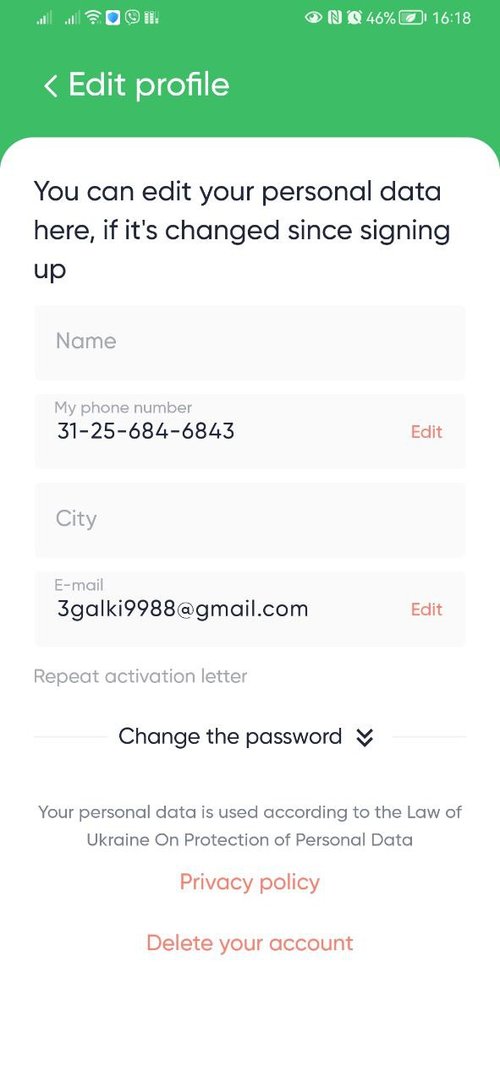
Step 3
Confirm deletion.
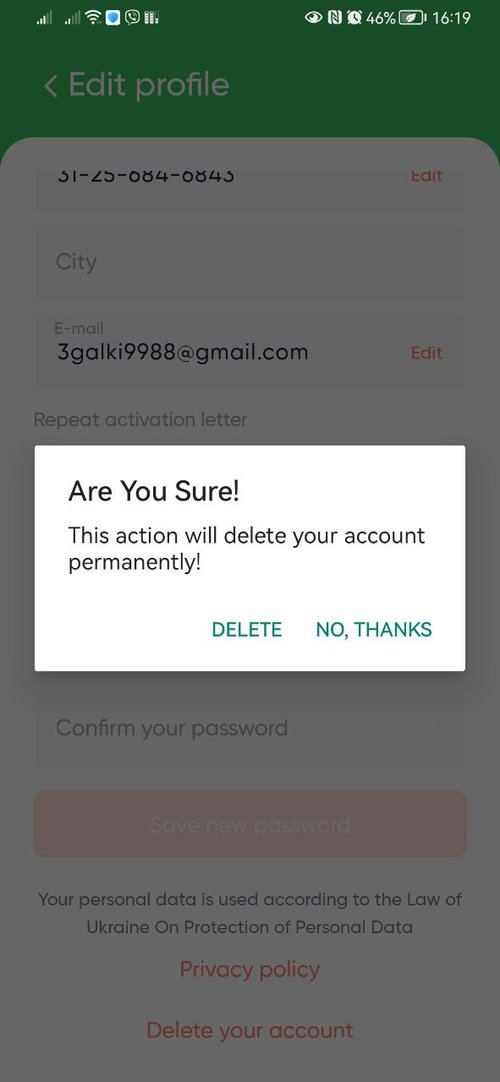
That’s all. Your personal data will be deleted immediately and permanently.